From the archive
HoloLens Tutorial - Finalize Spatial Understanding
Last Updated: Apr 24, 2017
Tutorial Accomplishments- Test for Spatial Understanding Completeness
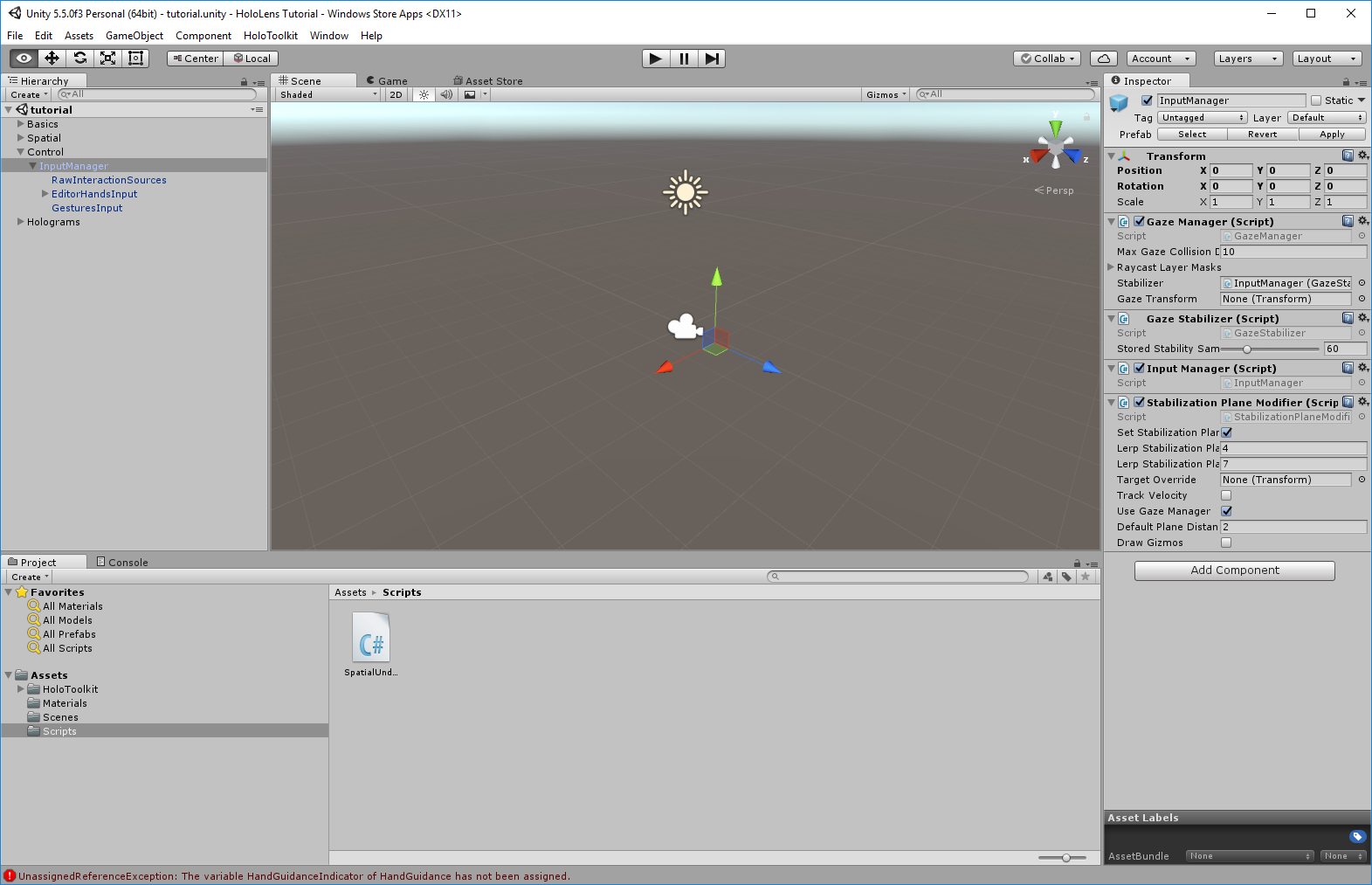
- Add Input Manager
- Finalizing Spatial Understanding
 Finalizing Spatial Understanding
When the spatial understanding is good enough for our app, the message should both change color and instructions. The instructions will also change to tell the user to air tap in order to finish mapping.
Update SpatialUnderstandingState.CS to this:
https://gist.github.com/CameronVetter/f08a2e926e90378439f59d5cada2480b
The class now implements the interfaces IInputClickHandler and ISourceStateHandler. These interfaces contain OnInputClicked, OnSourceDetected, and OnSourceLost. The Start method is added making a call to the input manager telling it that this gameobject will subscribe to the input events. When these events occur the methods implemented by the interfaces are called notifying this class of user input. Visible hands detected are tracked so that the application can respond to the users hand coming into view. Air taps are detected allowing the user to finalize spatial understanding by calling RequestFinishScan which finalizes spatial understanding. Build the app and run it on the HoloLens. Map your room and air tap to finalize spatial understanding. Notice that after finalization is complete all of the gaps in the spatial map are approximated based on the rest of the spatial map. This is done to make the spatial understanding "water tight" so there is not ambiguity on how objects should be placed. Be careful not to allow the user to finalize with too many gaps in the spatial understanding or the results of object placement may be disappointing.
Tutorial Index
[rps-include post=186]
Finalizing Spatial Understanding
When the spatial understanding is good enough for our app, the message should both change color and instructions. The instructions will also change to tell the user to air tap in order to finish mapping.
Update SpatialUnderstandingState.CS to this:
https://gist.github.com/CameronVetter/f08a2e926e90378439f59d5cada2480b
The class now implements the interfaces IInputClickHandler and ISourceStateHandler. These interfaces contain OnInputClicked, OnSourceDetected, and OnSourceLost. The Start method is added making a call to the input manager telling it that this gameobject will subscribe to the input events. When these events occur the methods implemented by the interfaces are called notifying this class of user input. Visible hands detected are tracked so that the application can respond to the users hand coming into view. Air taps are detected allowing the user to finalize spatial understanding by calling RequestFinishScan which finalizes spatial understanding. Build the app and run it on the HoloLens. Map your room and air tap to finalize spatial understanding. Notice that after finalization is complete all of the gaps in the spatial map are approximated based on the rest of the spatial map. This is done to make the spatial understanding "water tight" so there is not ambiguity on how objects should be placed. Be careful not to allow the user to finalize with too many gaps in the spatial understanding or the results of object placement may be disappointing.
Tutorial Index
[rps-include post=186]Originally published January 3, 2017. Preserved from the legacy CameronVetter.com archive.